01
Does the app measure blood pressure directly?
No. Blood Pressure Tracker is a record-keeping and tracking application designed for logging measurements obtained from physical blood pressure monitors. Smart devices without dedicated medical hardware cannot directly measure blood pressure.
02
How do I record a new measurement?
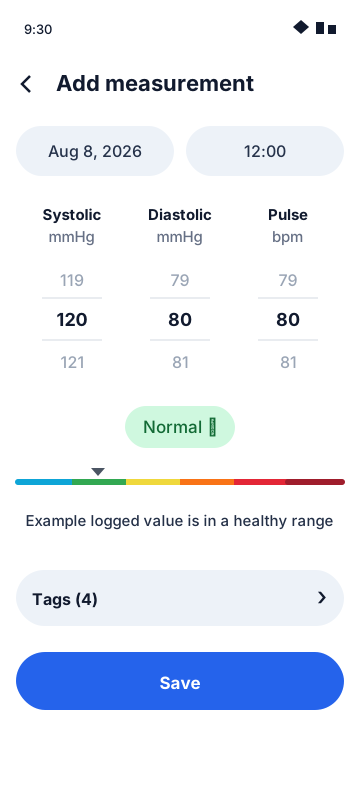
Tap the "+" button on the main screen, enter your Systolic (mmHg), Diastolic (mmHg), and Pulse (BPM) values, select optional tags (e.g., Morning, Evening, Before Medication), and tap "Save". Your log will immediately appear in your history and trend charts.
03
Where is my health data stored?
All logs are saved 100% locally on your Android device inside its private internal storage database. No health data is uploaded to remote servers, cloud databases, or third-party services.
04
How do I export my measurement history?
Navigate to the History or Settings section in the app and select "Export Data". You can save your logs locally to share with your physician during routine checkups.
05
How do I delete my data or reset logs?
You can delete individual entries directly from the history list, or use the "Clear All Data" option in settings to permanently wipe all stored logs from your device storage.
06
Is this application a substitute for medical advice?
No. Blood Pressure Tracker is intended strictly for personal tracking purposes. Always consult a qualified physician or healthcare provider regarding medical conditions, blood pressure diagnosis, or medication adjustments.